
diff options
Diffstat (limited to 'README.md')
| -rw-r--r-- | README.md | 129 |
1 files changed, 0 insertions, 129 deletions
diff --git a/README.md b/README.md deleted file mode 100644 index 9e1d842..0000000 --- a/README.md +++ /dev/null @@ -1,129 +0,0 @@ -Watch Application System in Python -================================== - -Introduction ------------- - -Currently in its infancy wasp-os provides only a little more than a simple -digital clock application for [PineTime](https://www.pine64.org/pinetime/) -together with access to the MicroPython REPL for interactive testing and -tweaking. However it keeps time well and has enough power saving -functions implemented that it can survive for well over 72 hours between -charges so even at this early stage it is functional as a wearable -timepiece. - -Wasp-os includes a robust bootloader based on the Adafruit NRF52 -Bootloader. It has been extended to make it robust for development on -form-factor devices without a reset button, power switch, SWD debugger -or UART. This allows us to confidently develop on sealed devices relying -only on BLE for updates. - -Videos ------- - -[](https://www.youtube.com/watch?v=YktiGUSRJB4)\ -[An M2 pre-release running on Pine64 PineTime](https://www.youtube.com/watch?v=YktiGUSRJB4) - -[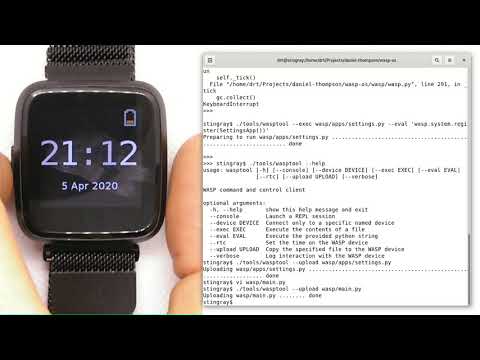](https://www.youtube.com/watch?v=tuk9Nmr3Jo8)\ -[How to develop wasp-os python applications on a Pine64 PineTime](https://www.youtube.com/watch?v=tuk9Nmr3Jo8) - -[](https://www.youtube.com/watch?v=kf1VHj587Mc)\ -[Developing for Pine64 PineTime using wasp-os and MicroPython](https://www.youtube.com/watch?v=kf1VHj587Mc) - -Documentation -------------- - -Wasp-os is has [extensive -documentation](https://daniel-thompson.github.io/wasp-os/) which includes a -detailed [Applicaiton Writer's -Guide](https://daniel-thompson.github.io/wasp-os/appguide.html) to help you get -started coding for wasp-os as quickly as possible. - -Building from a git clone -------------------------- - -Get the code from -[https://github.com/daniel-thompson/wasp-os](https://github.com/daniel-thompson/wasp-os) . - -~~~ -pip3 install --user click serial pyserial -make submodules -make softdevice -make -j `nproc` BOARD=pinetime all -~~~ - -Note: *You will need a toolchain for the Arm Cortex-M4. wasp-os is developed and tested using the [GNU-RM toolchain](https://developer.arm.com/tools-and-software/open-source-software/developer-tools/gnu-toolchain/gnu-rm) (9-2019-q4) from Arm.* - -Note #2: *There are known problems with toolchains older than gcc-7.3 due to problems with link-time-optimization (which is enabled by default)* - -Installing ----------- - -Note: *If you have a new PineTime then it will have been delivered with -flash protection enabled. You must disable the flash protection before -trying to program it.* - -Use an SWD programmer to install `bootloader.hex` to the PineTime. This -file is an Intel HEX file containing both the bootloader and the Nordic -SoftDevice. Be careful to disconnect cleanly from the debug software -since just pulling out the SWD cable will mean the nRF52 will still -believe it is being debugged (and won't properly enter deep sleep -modes). - -To install using Android device: - -* Copy `micropython.zip` to your Android device and download nRF Connect - for Android if you do not already have it. -* In nRF Connect, choose settings and reduce the DFU packet count from - 10 to 4. -* Connect to PineDFU using nRFConnect, click the DFU button and send - `micropython.zip` to the device. - -To install using Linux and ota-dfu: - -* Look up the MAC address for your watch (try: `sudo hcitool lescan`). -* Use ota-dfu to upload `micropython.zip` to the device. For example: - `tools/ota-dfu/dfu.py -z micropython.zip -a A0:B1:C2:D3:E3:F5 --legacy` - -At the end of this process your watch will show the time (03:00) together -with a date and battery meter. When the watch goes into power saving mode -you can use the side button to wake it again. - -At this point you will also be able to use the Nordic UART Service to -access the MicroPython REPL, although currently you must send ^C to -interrupt the program that updates the watch display. - -Just for fun try: - -~~~ -^C -import demo -demo.run() -# After watching the demo for a bit... -^C -wasp.app.draw(watch) -wasp.system.run() -~~~ - -To set the time and restart the main application: - -~~~ -^C -watch.rtc.set_localtime((yyyy, mm, dd, HH, MM, SS)) -wasp.system.run() -~~~ - -Or just use: -~~~ -./tools/wasptool --rtc -~~~ -which can run these commands automatically. - -As mentioned above there are many drivers and features still to be -developed, see the [TODO list](TODO.md) for current status. - -Screenshots ------------ - - - |